Push Notifications
Firebase configuration
To enable push notifications, set up Firebase Cloud Messaging in your own Firebase project and share the credentials with MeetingLawyers:
- Create (or open) your Firebase project at Firebase Console and register your Android app with its package name.
- Download the
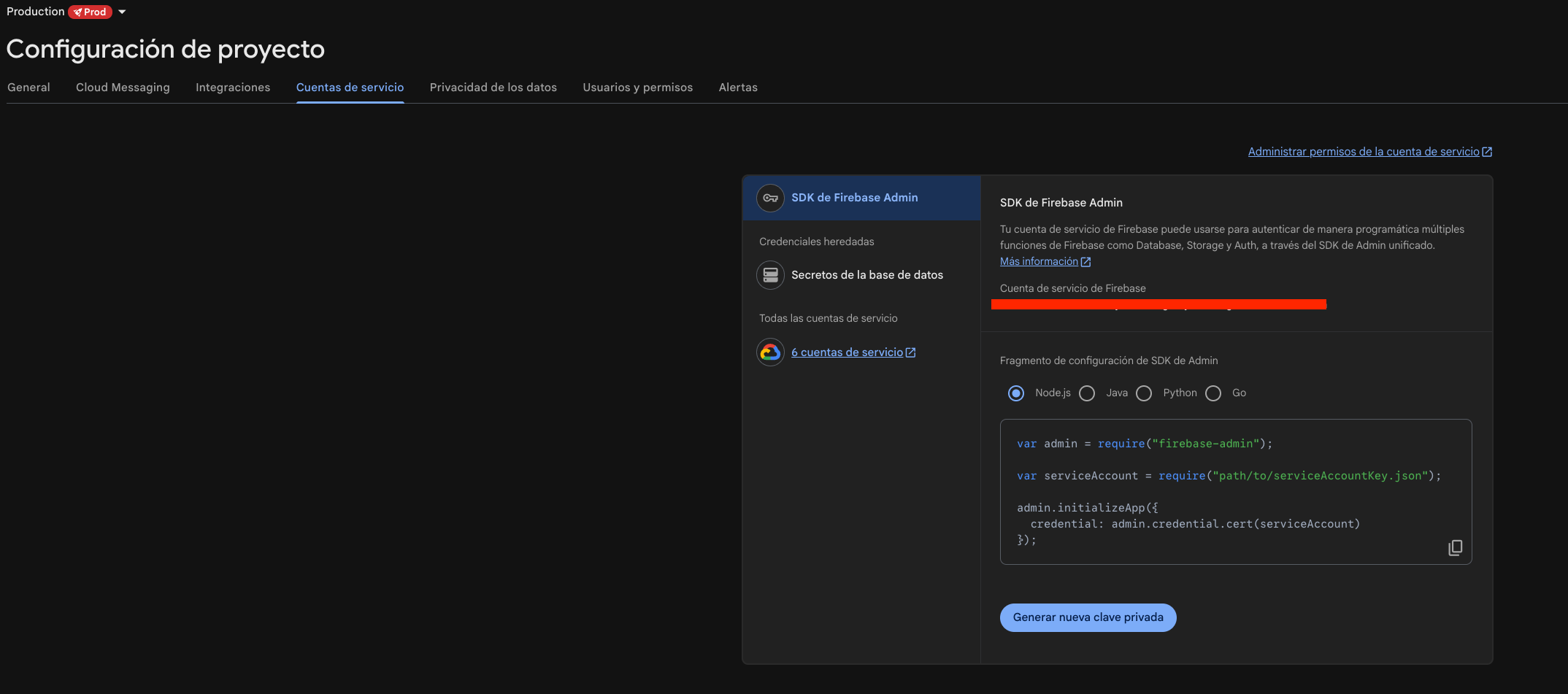
google-services.jsonand add it to your Android project (app/module). See the Firebase Android setup guide for the required Gradle plugin andfirebase-messagingdependency. - In Project settings → Service accounts, click Generate new private key and send the downloaded JSON file to support@meetinglawyers.com (treat it as a credential — keep it out of source control and send it via secure email, e.g. as a password-protected archive).
Push notifications
After providing the service account file, you can proceed to register your push tokens in the SDK:
class ExampleMessagingService : FirebaseMessagingService() {
   override fun onMessageReceived(remoteMessage: RemoteMessage) {
       super.onMessageReceived(remoteMessage)

        val data = remoteMessage.data["data"] ?: return
        val client = MeetingLawyersSDK.getClientInstance()

        if (client.isMeetingLawyersPushMessage(data)) {
            client.onPushMessageReceived(data)
        } else {
            // Not a MeetingLawyers push — handle it with your own logic
        }
   }

    override fun onNewToken(newToken: String) {
        super.onNewToken(newToken)

        /* Register new push token */
        MeetingLawyersSDK.getClientInstance().onNewTokenReceived(newToken)
    }
}
The SDK already filters its own messages internally, so calling onPushMessageReceived without the isMeetingLawyersPushMessage guard is also safe — the explicit check just makes the branching clearer when you also handle non-MeetingLawyers pushes.